Mr Space Cadet MSC//
PulSen Craft

Most people type into a chat and stop there. This one can change the file, run the test, and use the other machines in the building — if you say yes.

One PC is enough. A company that already bought a room of desktops can put them on the same private fleet overnight. Nothing in the prompt has to leave the site. The installer lives on Downloads.

How far you take it

You do not get a cockpit on day one unless you ask for one.

Just chat

Local or cloud model. No tools until you open them.

Chat + files

Point it at a folder. It can read. Writes wait for your yes. That is the difference between a chatbot and a worker.

Chat + fleet

The installer will join a Core already on the LAN. Enrol PulSen Craft. Now a chat can become a job the rest of the machines can see.

Still just chatting?

Use the same box as work, not a chatbot

Most people type and hope. PulSen Craft is that same chat — with tools, approval, and a terminal in the thread.

You: fix the login timeout in auth.ts
read src/auth.ts → apply_patch → needs your yes
It shows the hunk. You approve. The file changes. Proof stays in the thread.

1. Chat that edits, with a stop

Ask in ordinary language. It reads, proposes a patch, and waits. One yes is not a blank cheque for every later shell.
You: run the tests and tell me what failed
terminal npm test
Output streams in the same conversation. No copy-paste into another window.

2. Chat that runs the command

The integrated terminal is in the turn, not a side hobby. You see the command, the output, and the next sentence in one place.

You: have the cheap seat look this up, then you decide
delegate → standard seat · fleet mission if the box is enrolled
The orchestrator keeps the verdict. The work does not all burn the expensive model.

3. Chat that uses the fleet

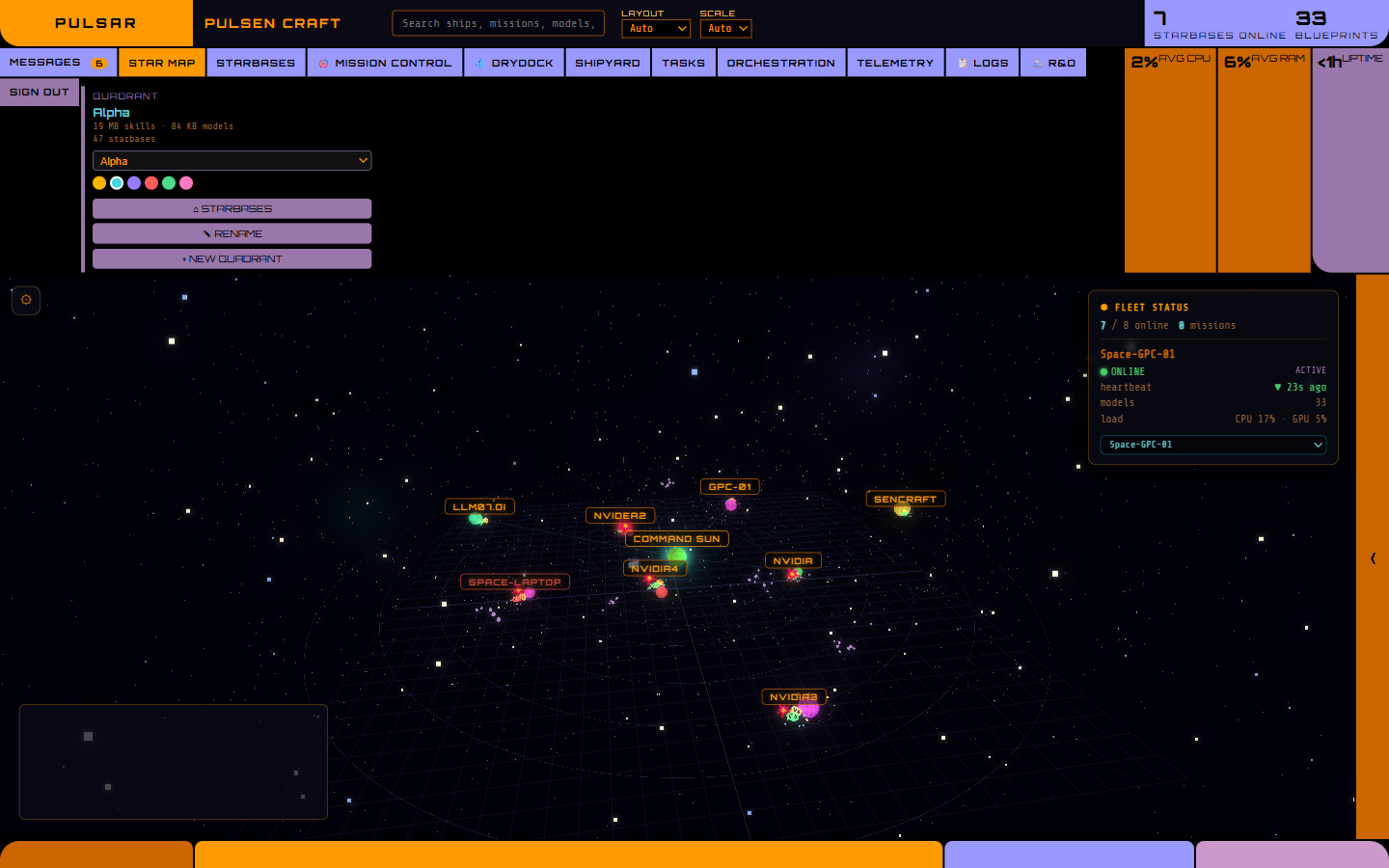
If Core is connected, a chat can become a governed job: cheaper seat, live status, evidence. That is the jump from “AI chat” to doing work.

See it

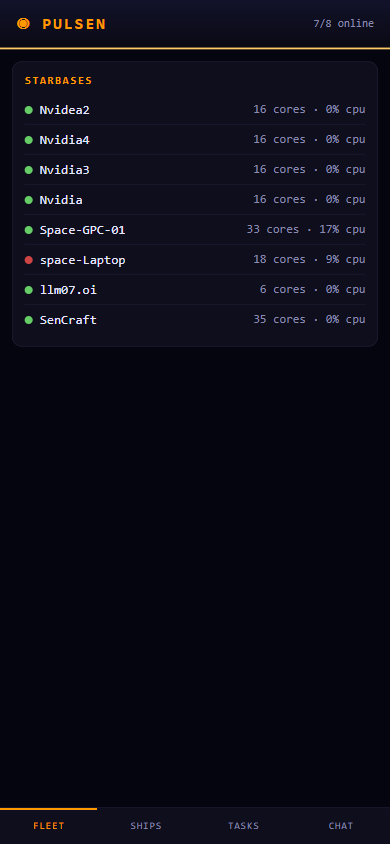
Fleet Command, as it actually looks.

Live capture from the Core, shown here as a demo. The bits to install it are on Downloads, not this page.

Installed for you

If you would rather not run the installer yourself, I still do that job.

Home lab, workshop, or a company that already owns the PCs. The self-serve beta is on Downloads. Photos, invoices, and overnight monitoring are on Systems.

Ask about an install Downloads →